
Home Screen
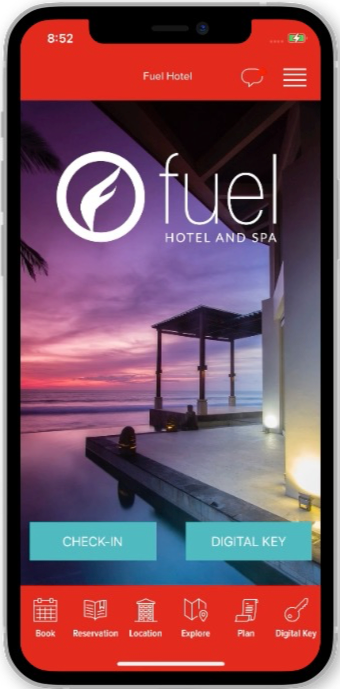
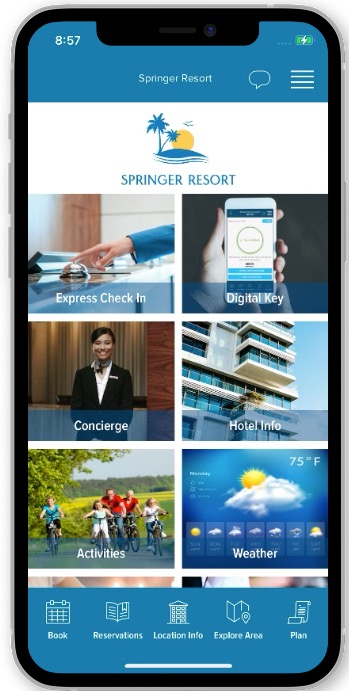
The Home Screen will either display a set of tiles that can be customized (option 1) or will be limited to two smaller buttons with a background image as a part of the main display (option 2).
| Option 1 | Option 2 |
 |
 |
Bottom Navigation
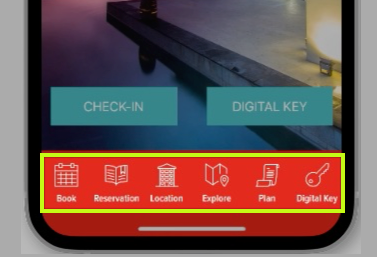
The icons located on the bottom toolbar act as your quick navigation for getting around the app. This section typically houses a link to your booking engine, location info, and digital-key process (if activated)
Slide Out Menu
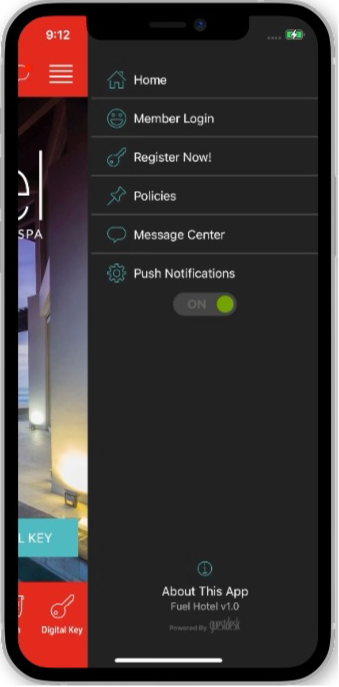
Opened by the hamburger icon, the slide out menu of the app acts as another navigation hub for the app. Links typically placed in this area include, the message center, privacy policy, and push notifications settings. This section can be modified to including links to exterior content and other sections of the app.
Explore Area
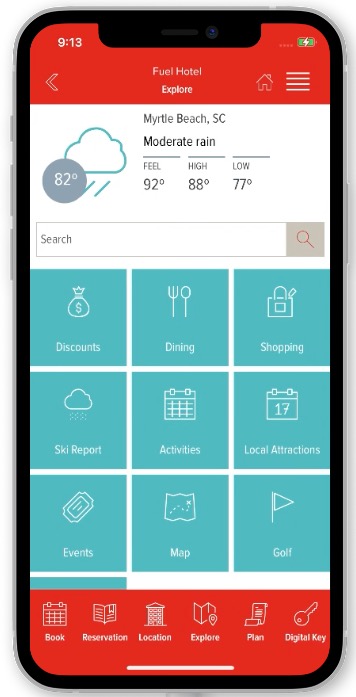
This screen displays content that is relevant to the physical location of the property. The top section displays a preview of the weather forecast for the area. A search bar provides the ability to search across the content of the sections listed in this section. The other times include sections that list out business listings pulled from Yelp or defined manually. Stock sections can be edited, disabled, and replaced with completely custom sections.
Location Info
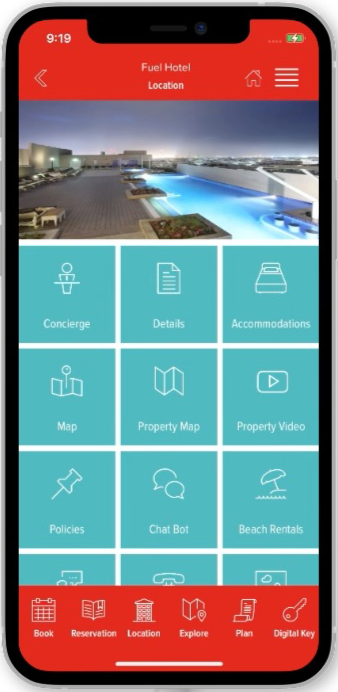
This area displays property information including contact information, hotel policies, and accommodations information. Additional sections can be added as needed.
Comments
0 comments
Please sign in to leave a comment.