
The Email and Phone Numbers section is used to setup the routing information that will be used to send notifications and confirmation emails.* The image below will act as a guide to this article.
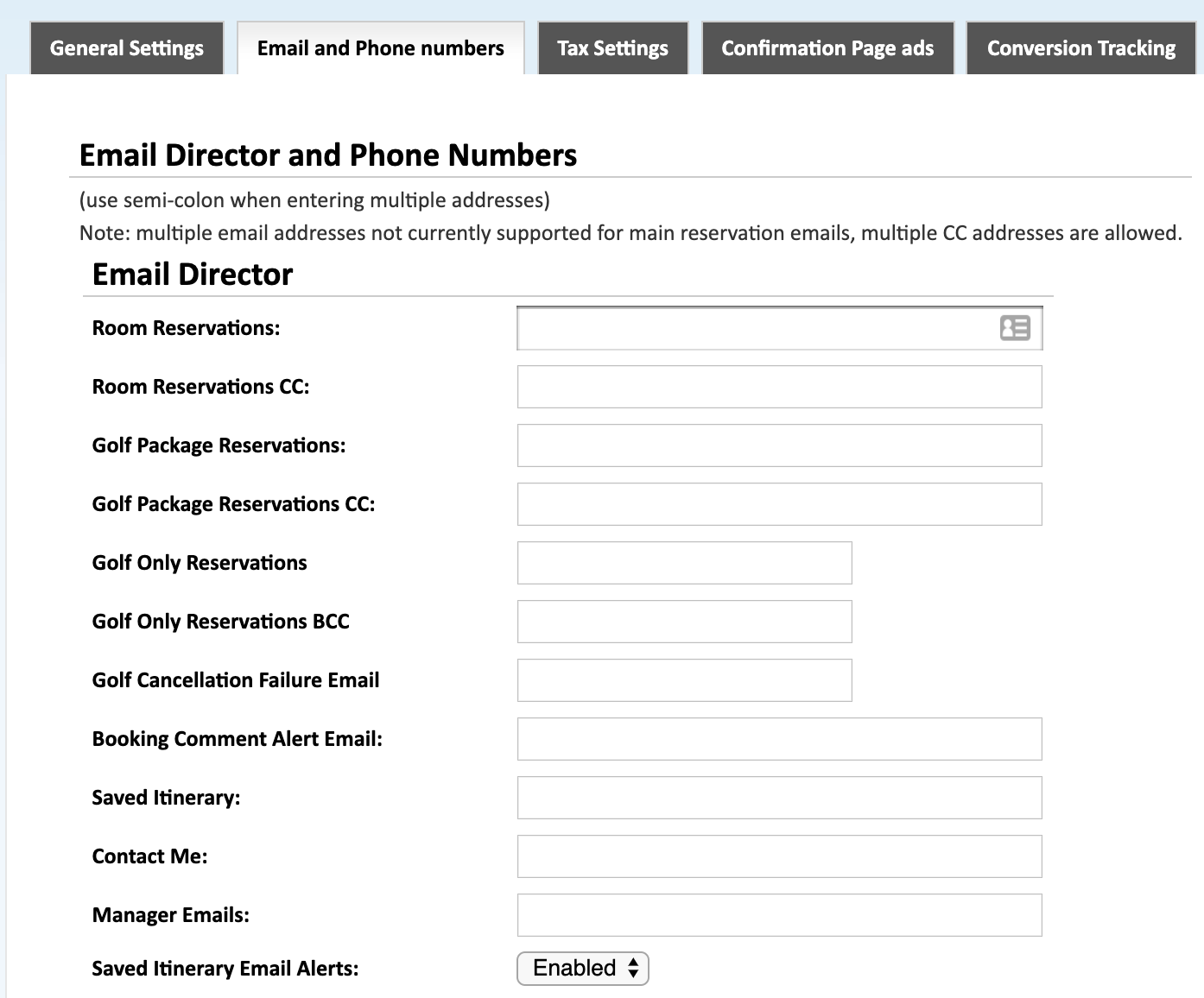
Room Reservations
Appears as the From address on the accommodations confirmation email that the customer receives. This email address will also receive a notification email after a reservation has been made.
Room Reservations CC
Receives notification when a reservation is made. This field accepts multiple email addresses separated by semi-colons.
Golf Package Reservations*
Appears as the 'From address' on the golf package confirmation email that the customer receives. This email address will also receive a notification email after a reservation has been made.
Golf Package Reservation CC*
Receives notifications when a golf package is booked. This field accepts multiple email addresses separated by a semi-colon.
Golf Only Reservations*
Appears as the 'From address' on the golf only confirmation email that the customer receives. This email address will also receive a notification email after a reservation has been made.
Golf Only Reservation BCC*
Receives notifications when a golf only reservation is booked. This field accepts multiple email addresses separated by a semi-colon.
Booking Comment Alert Email
Receives notifications when a booking contains a comment. This field accepts multiple email addresses separated by a semi-colon.
Saved Itinerary
Receives notification when a customer uses the save itinerary function located in the account login section of the booking engine.
Contact Me
Receives notification when a customer submits their contact information through the Contact Us box on the booking engine.
Manager Emails
Receives notification when a customer submits their contact information through the Contact Us box on the booking engine.
Saved Itinerary Email Alerts
Emails for the manager(s) of the property.
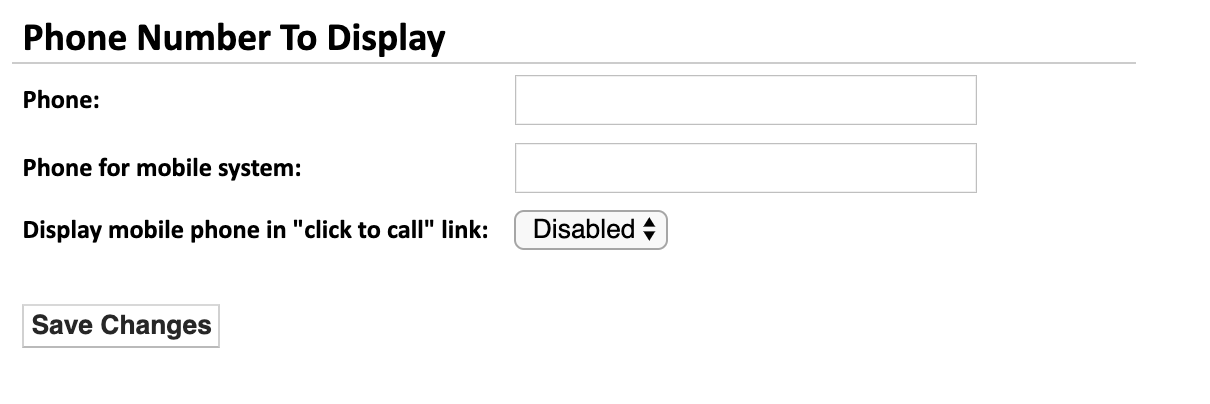
Phone Number To Display
Phone number for customer to contact reservations department. This phone number is displayed on the Itinerary that the customer can print, email, or save.
Phone for mobile system
Phone number for use in the mobile system.
Display mobile phone in "click to call" link
Choose whether the mobile phone number in the "click to call" link.
*Based on the configuration of your system some of the above options may not be available. If you would like information about adding a service please call our support center at 843.839.1456
Continue Reading about the other parts of the System Settings:
General Settings -Part 1 (Live Interface)
General Settings -Part 2 (Live Interface)
General Settings - Allocation Rate Settings
Email and Phone Numbers
Confirmation Page Ads
Stay Alert Messages
Tax Settings
Website Information
Comments
0 comments
Please sign in to leave a comment.