
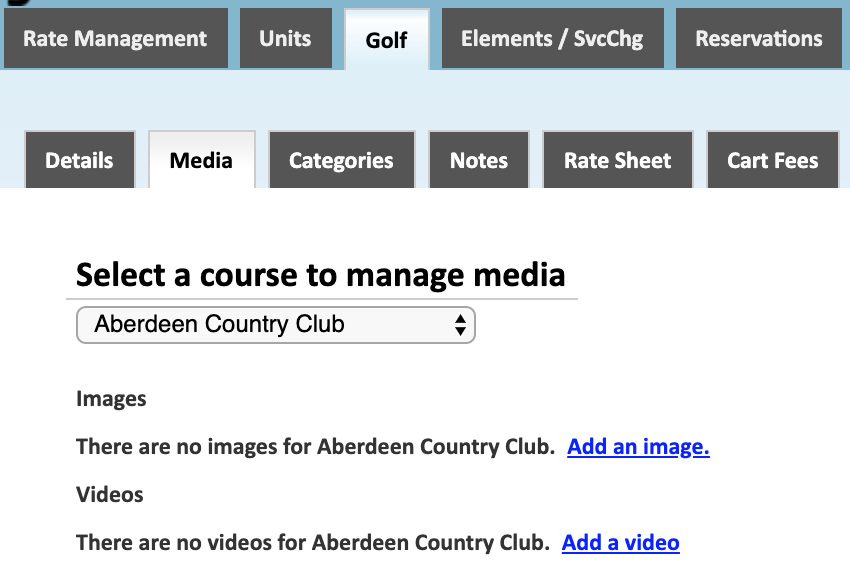
This section of the golf menu is used to customize the images that the customer sees on the tee time booking engine.
-
Course Selection
Select the course to add images for. Notice that every course will show no images loaded. This means that the course is using the default images from our golf course information database.
-
Add an image
Use this button to add a custom image for the selected golf course. If images are loaded for a course they will be the only ones used on the booking engine. They will not be added to the existing default image gallery of each course.
-
Add a video
Use this button to add a video tour of the course. The upload page will allow you to upload a thumbnail image for the video, HTML code or a YouTube URL, and a caption for the video.

*Based on the configuration of your system some of the above options may not be available. If you would like information about adding a service please call our support center at 843.839.1456
Continue reading about the other sections of the Golf menu:
Comments
0 comments
Please sign in to leave a comment.